The Lending page lists third-party lending markets that Alchemix links to but does not operate. One is live today: the Euler 4-way market, covering WETH, USDC, alETH, and alUSD.
Open it from the top navigation under Ecosystem → Lending, or go directly to alchemix.fi/lending.
Lending is its own page. Vaults curated by the Alchemix team, such as the Alchemix Ecosystem ETH vault, live under Ecosystem → Vaults and are covered in Ecosystem Vaults →.
Prerequisites
- Connect your wallet.
- Confirm you have ETH for gas.
- Hold WETH, USDC, alETH, or alUSD to supply.
Euler 4-way market
The Euler 4-way market is an Euler lending market covering four assets: WETH, USDC, alETH, and alUSD. You can supply any of them to earn yield from borrower demand, and you can borrow against collateral you have supplied.
Listing alETH and alUSD here is what lets you put an alAsset to work without selling it. See alAssets → for why that matters to the peg.
Euler is a third-party lending market, not operated by Alchemix. Borrowing against your collateral exposes you to liquidation. If your collateral value falls relative to your debt, part of your collateral can be liquidated to repay it. Keep an eye on your health factor. See liquidation risk →.
This is separate from Alchemix's own vaults, which carry no price-based liquidation. Borrowing on Euler does not behave like a self-repaying loan.
Step 1 – Open the market
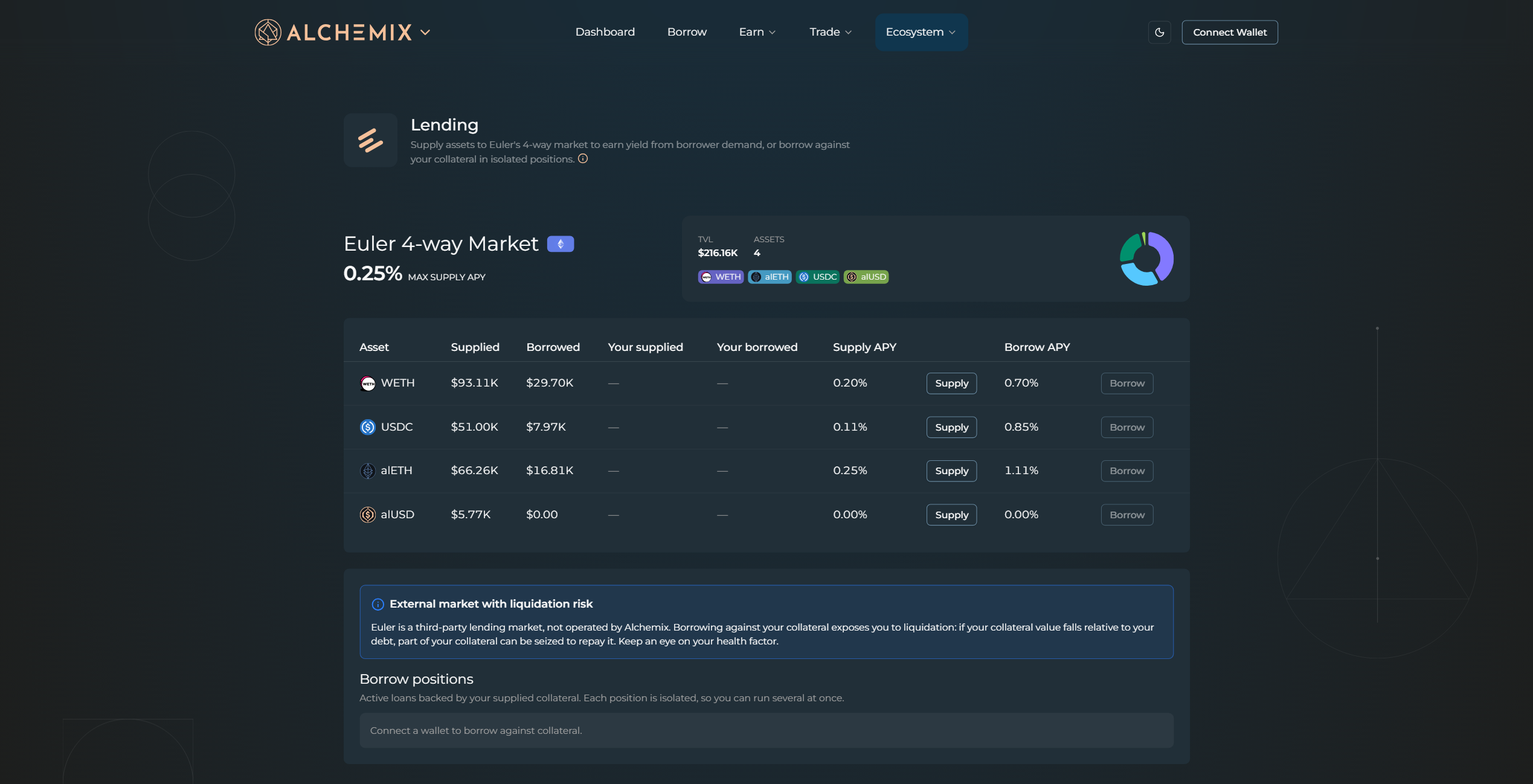
Open the Lending page from Ecosystem → Lending. The card header shows the market's total value locked, the four assets it covers, and the highest supply APY on offer. Below it sits the per-asset table, and below that the Borrow positions panel.
Step 2 – Read the market
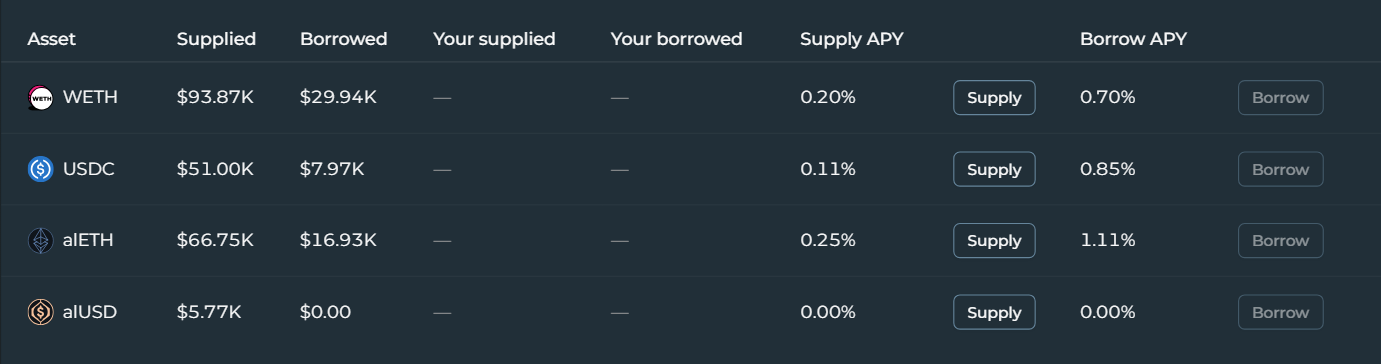
Each row lists how much of that asset is supplied and borrowed across the market, your own supplied and borrowed balances, and the supply and borrow APY, with accompanying Supply and Borrow buttons. Compare the two rates to see what you would earn by lending against what you would pay to borrow.
Step 3 – Lend
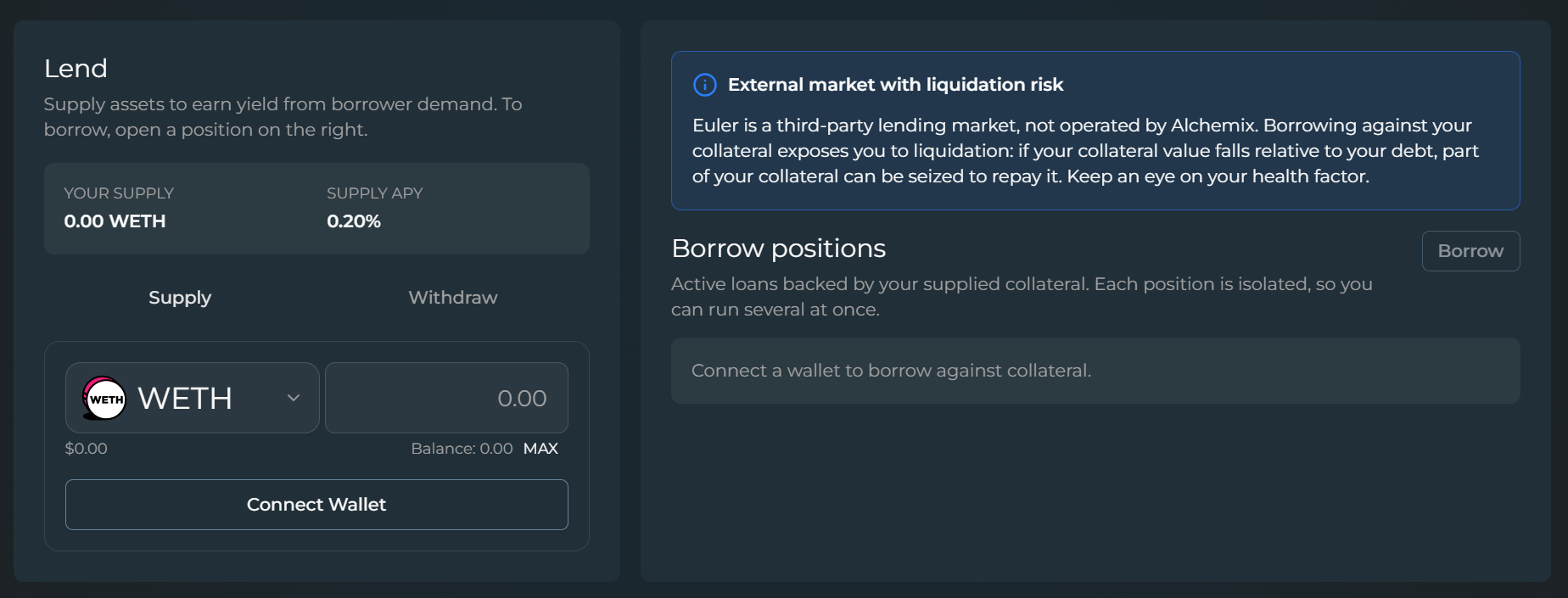
Click Supply on the row for the asset you want to lend. That opens the Lend panel on the left. Choose your asset, enter an amount or click MAX, and supply it to start earning. Your supplied balance and its current APY appear above the input. Switch to the Withdraw tab to pull supplied assets back out, subject to available liquidity in the market.
Step 4 – Borrow
Once you have supplied collateral, open a loan from the Borrow positions panel on the right. Each position is isolated, so you can run several at once against different collateral. Make sure you watch the health factor on every position. The closer it sits to the liquidation threshold, the smaller the drop in collateral value needed to trigger a liquidation.