Ecosystem vaults are curated by the Alchemix team and sit alongside the core protocol. One is live today: the Alchemix Ecosystem ETH vault, a WETH vault that earns a blended yield from across the Alchemix ecosystem.
Open it from the top navigation under Ecosystem → Vaults, or go directly to alchemix.fi/ecosystem, then click the card to expand it.
Third-party lending markets are not on this page. The Euler 4-way market has its own page under Ecosystem → Lending. See Lending →.
Prerequisites
- Connect your wallet.
- Confirm you have ETH for gas.
- Hold WETH to deposit.
Alchemix Ecosystem ETH vault
This vault is curated by the Alchemix team. It puts your deposited WETH to work across the Alchemix ecosystem to earn a blended yield, and rebalances the allocation over time. The expanded card shows the current APR, total value locked, and a breakdown of where the capital is deployed.
The vault takes a 20% share of the yield it earns before crediting the remainder to depositors. See the ecosystem vault fee → for details.
Deposits settle on the next epoch, and withdrawals are processed fortnightly. Both run in two steps: you request, wait for the cycle to settle, then claim. Nothing reaches your wallet until you claim. Plan around this if you may need the funds at short notice.
Step 1 – Open the vault
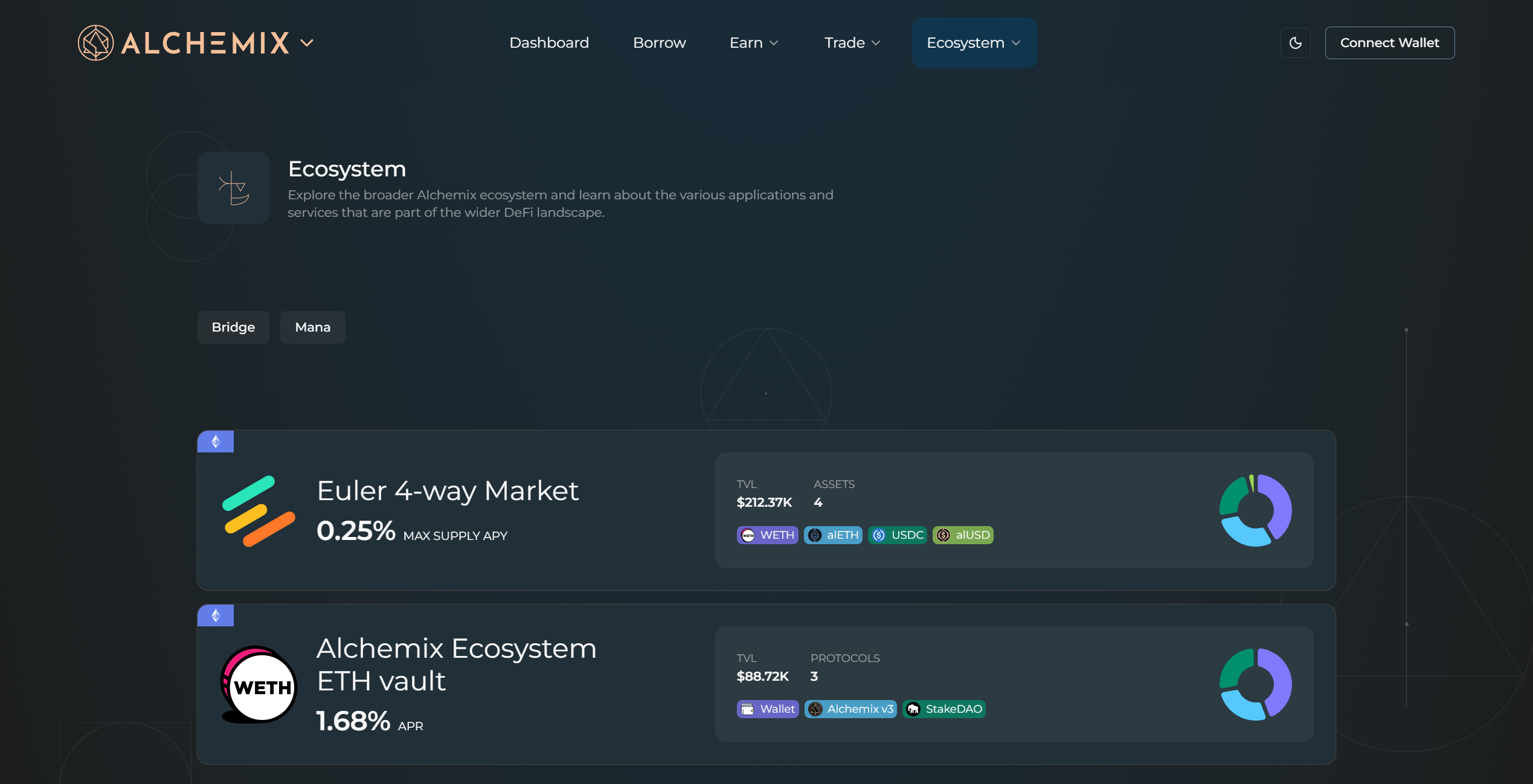
On the Ecosystem page, click the Alchemix Ecosystem ETH vault card to expand it.
Step 2 – Review the vault
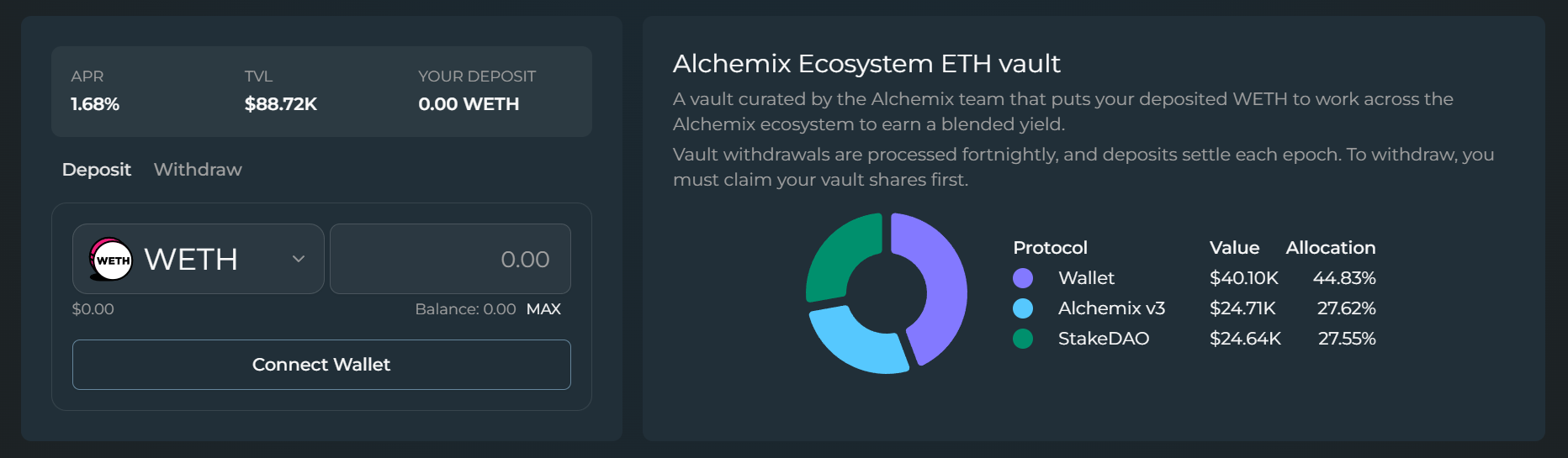
Check the APR and TVL at the top of the card. The deposit form is on the left. The allocation chart on the right lists where the capital sits, including any undeployed balance shown as Wallet, with each row's current value and percentage. These weights shift as the team rebalances.
Step 3 – Deposit WETH
Stay on the Deposit tab. Enter the amount of WETH you want to deposit, or click MAX to use your full balance, then click Request Deposit and confirm the transaction in your wallet. The deposit shows as Pending settlement until the next epoch. Once it has settled, a Ready to claim row appears above the input. Click Claim to receive your vault shares.
Step 4 – Withdraw
Switch to the Withdraw tab when you want to exit. If you still have unclaimed shares from a deposit, claim them first. Enter an amount and click Request Withdraw. Withdrawals are batched and processed on the fortnightly cycle, and the request shows as Pending settlement until then. Once it has been processed, the amount appears in a Ready to claim row. Click Claim to send the WETH to your wallet.