After depositing into a Mix-Yield Token, you can borrow alAssets against your position. The vault keeps your collateral earning yield and lets you mint synthetic assets (alETH against ETH, alUSD against USDC) worth up to 90% of your collateral's face value.
You can manually repay part or all of your debt at any time to unlock your collateral. Learn more about self-repaying loans →
Prerequisites
- Connect your wallet and switch to the chain that holds your MYT deposit.
- Confirm you have ETH for gas on that chain.
- If you don't have an MYT deposit yet, complete the Mixed Yield tutorial → first.
Step 1 – Open the vault
Click Borrow in the top navigation, then click the vault you want to borrow against.
Step 2 – Select the Borrow tab
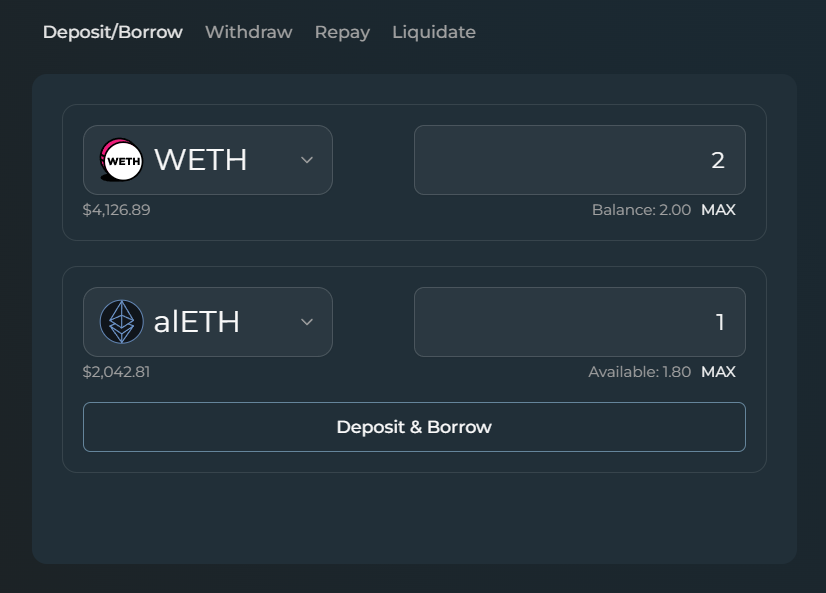
Open the Borrow tab on the vault page. If you don't already have a corresponding MYT deposit for this vault, you can use the Deposit/Borrow tab to deposit and borrow in one transaction.
Step 3 – Review position stats
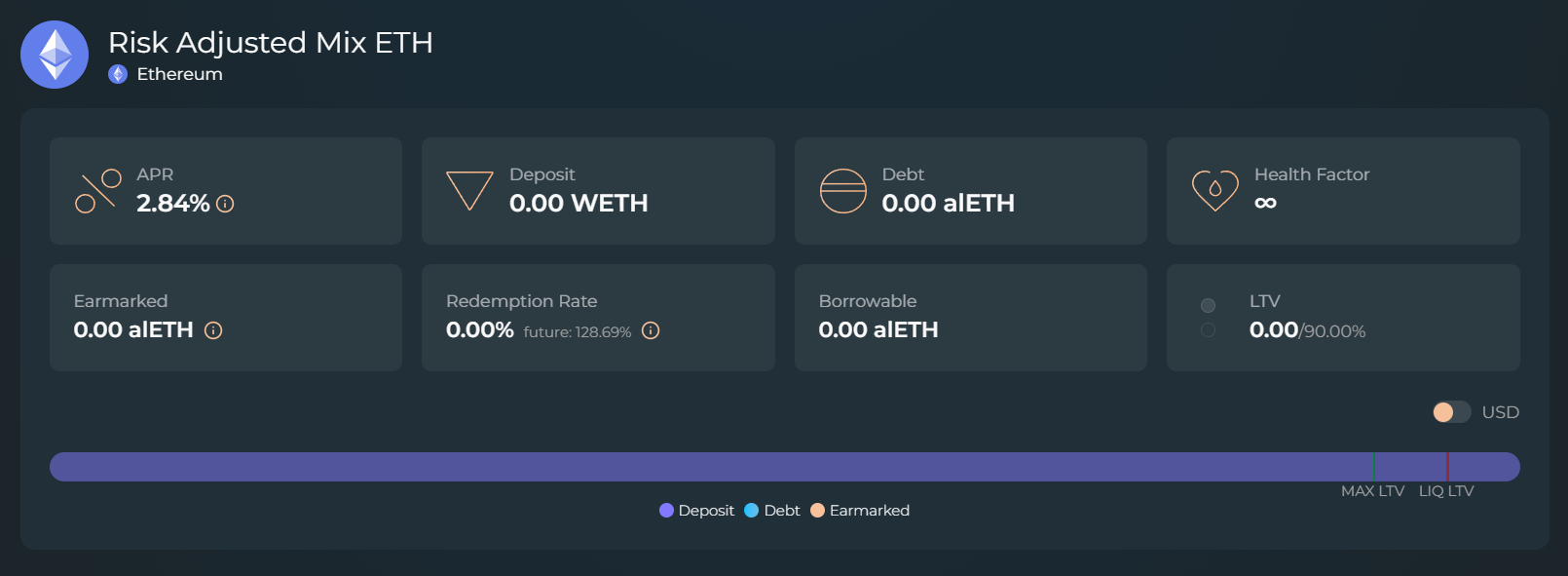
The top of the detail page shows your current position: APR, Deposit, Debt, Health Factor, Earmarked, Redemption Rate, Borrowable, and LTV. The health bar shows your position relative to the MAX LTV and liquidation LTV markers.
Alchemix does not use price-based liquidations. Liquidation risk comes from a yield strategy losing value, which can reduce your collateral below the liquidation threshold (95% LTV). Keeping LTV low reduces your exposure.
Learn more about Liquidations →
Step 4 – Enter a borrow amount
Type the alAsset amount you want to borrow, or click MAX to borrow the maximum within the current LTV limit. The token dropdown also offers the underlying asset (USDC, or ETH and WETH). Pick it and the app swaps the minted alAsset for it in the same flow, with the button reading Borrow & Swap. Your debt is still recorded in the alAsset.
Step 5 – Confirm
Approve the transaction in your wallet. Once it completes, the position stats update to reflect your new debt.
Step 6 – Track your position
The position is visible on the vault detail page and from your Dashboard. Use the alAsset however you like. Swap it for stablecoins, provide liquidity, or loop it back into the vault for further leverage from the Yield Looping tab on the vault page.
Reading the vault page
The right-hand panel has six tabs:
- Info – the strategies the MYT is currently deployed in, with each one's risk level, APR, and allocation, and a 30-day APR chart. View all strategies lists every strategy the vault can use, including those holding nothing right now.
- Visualizer – a projection of your position over time, built from your live position and the Transmuter's schedule. The Quick Start explains how to read it.
- Earmarking – the annualized rate at which debt has been earmarked over the last 30 days.
- Redemptions – Schedule shows the redemptions maturing over the next three months. Realized shows the rate at which debt was actually redeemed over the last 30 days.
- History – the activity on your position, with yield earned, the amount redeemed, and the realized APR, and a CSV export. Recent transactions can take up to 24 hours to appear.
- Contracts – the addresses of the Alchemist, the MYT, the alAsset, the Transmuter, and each strategy, plus your position ID.
The left-hand tabs hold the actions: Deposit/Borrow, Borrow, Withdraw, Repay, Liquidate, and Yield Looping. Liquidate is a self-liquidation. It repays your debt from your own collateral and returns the remainder to you in one transaction.
What repays the debt
Your collateral continues to earn yield in your vault. The DAO sets a period length for redemptions. When a Transmuter user claims a redemption, a slice of borrowers' MYT collateral is transferred to the Transmuter to fund it, and the same amount of debt is cancelled in the process. Given enough time and redemptions, this will eventually clear a vault user's entire debt.
Learn more about redemptions →
Key information
| Parameter | Value or behavior |
|---|---|
| Maximum LTV | 90% of collateral value. |
| Interest Rate | Zero. Debt balance only declines; it never accrues new interest. |
| Repayment sources | Transmuter redemptions (drawn from your collateral) and manual repayments. Vault yield accrues to your collateral and does not repay debt directly. |
| Early repayment options | Repay at any time with alAssets, MYT, or the underlying asset. alAssets only clear debt that has not been earmarked, while earmarked debt is repaid with MYT or the underlying asset. |
| Position NFT | Your position is represented by an NFT available in your wallet after the transaction confirms. |
| Liquidation | Only a loss of value in the MYT itself can push a position past the 95% threshold. Redemptions cancel debt and collateral in equal amounts, so they do not raise your LTV, though a higher-LTV position gives up a larger share of its collateral to each redemption. Learn more → |
Why borrow instead of selling?
-
Exposure – Maintain exposure to the yield from your asset while deferring the actual sale of the underlying, supporting short-term cash needs.
-
Stable – Avoid variable interest rates, price-based liquidations, and rollover risk common in other lending markets.
-
IL Protection – Combine borrowing with like-for-like liquidity pools to generate fees, with impermanent loss limited to moves in the alAsset's peg.
-
Leverage – Loop alAssets back into the vault to amplify yield while the repayment mechanism remains self-managed.
Borrowing lets you access liquidity from your collateral while it keeps earning yield.