The Fixed Yield page lists every fixed-rate term available on your current network. By depositing alAssets, or letting the interface swap ETH or USDC into their alAsset form, you lock in a known return that settles on the term’s maturity date.
While your position vests, Alchemix earmarks matching borrower debt at 1:1 so that MYT collateral covers your redemption. Payouts are made in full unless the Alchemist carries bad debt, in which case they are scaled down pro-rata. In early exits, the vested share is paid out, and the unvested share is returned as alAssets minus the early exit fee.
Step 1 – Open the Fixed Yield page
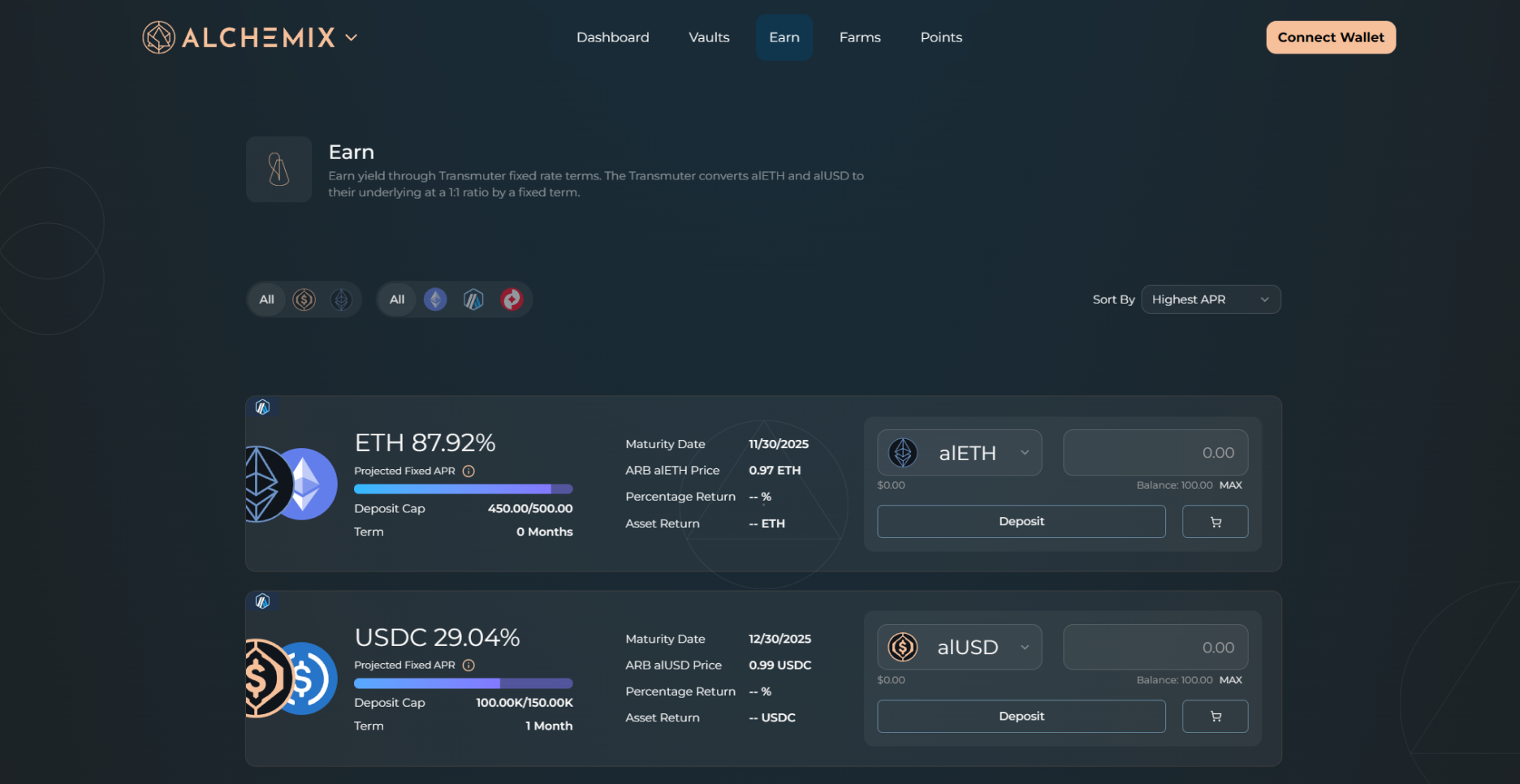
Open Earn in the top navigation and choose Fixed Rate, or go directly to alchemix.fi/fixed-yield. Each panel shows a fixed-rate term you can enter.
Step 2 – Pick a term
APRs and alAsset spot prices differ across networks. Always verify the values shown in the Fixed Yield panel on your target chain before purchasing alAssets to deposit.
Each panel displays:
-
Term length
-
Maturity Date
-
Current alAsset price
-
Projected fixed APR
-
Deposit cap and remaining room
-
Early exit fee
Click a term to select it.
Step 3 – Choose a deposit asset
Use the dropdown on the right side of the panel to choose either alAsset, or its respective underlying asset. If you pick ETH or USDC, the interface swaps it to the matching alAsset before depositing automatically. A Slippage setting appears for that swap, set to 0.1% by default, which you can change before you confirm.
Step 4 – Enter your amount
Type how much of the selected asset you want to commit. The panel instantly shows:
-
Expected Output, the alAsset amount that will redeem 1:1 at maturity (the swap output when you deposit ETH or USDC)
-
Percentage Return over the term
-
Asset Gain, the ETH or USDC you stand to gain at maturity
Step 5 – Submit
Click Deposit, or Swap & Deposit if you chose ETH or USDC, and approve the transaction in your wallet.
Manage or exit a position
Go to the Dashboard and scroll to Open Fixed Yield Positions.
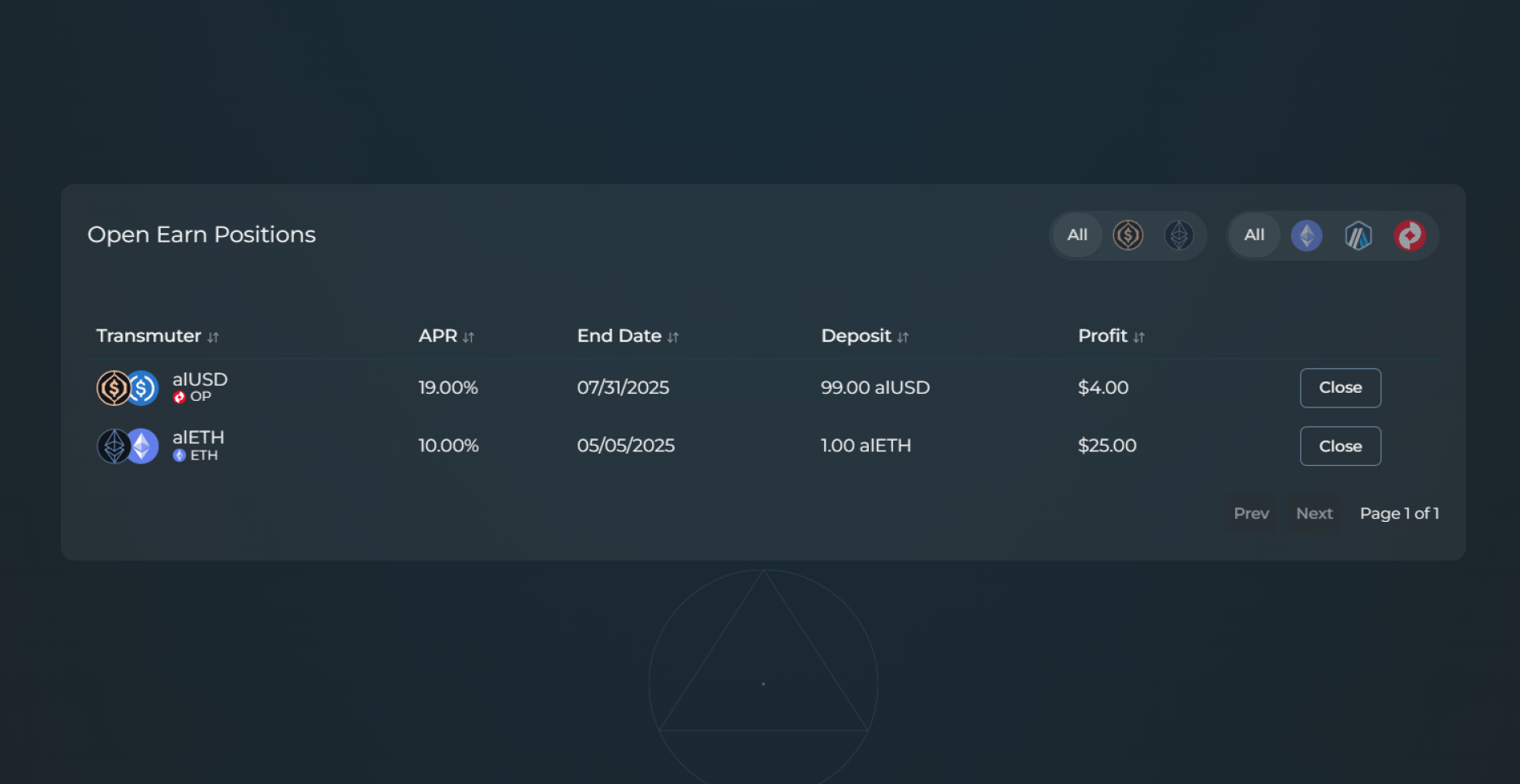
Click Claim on the position you want to exit, which will have a different effect depending on if the position has fully matured:
| Term state | Modal | Effect |
|---|---|---|
| Matured | Claim Transmuted Assets | Receive the underlying asset. The Transmuter pays out MYT, which the app unwraps in the same transaction. |
| Still vesting | Early Exit Transmuter Position | The button reads Claim with Penalty. You receive a reduced amount, and the modal shows the Early Claim Penalty in advance. The penalty is a percentage set by the DAO, applying to untransmuted funds only. |
If the app returns MYT instead of the underlying asset, for example when unwrapping would incur slippage or the MYT vault lacks immediate liquidity, you can hold it and keep earning, or unwrap it later from the Mixed Yield page, under Earn → Variable Rate.
Key points
-
The full displayed return is reached at maturity. Exiting early pays the vested share at 1:1 and returns the rest as alAssets minus the exit fee.
-
An early exit invokes the penalty shown in the UI.